
Features → AI Integration
Manage Password Policies with AI — Using Natural Language
Connect your WordPress site to AI assistants like Claude, ChatGPT, or any MCP-compatible tool and manage your password policies through simple, conversational commands.
- List, create, update, and delete password policies using natural language
- Works with any AI assistant that supports the Model Context Protocol (MCP)
- Fully respects WordPress user roles and permissions
- Included free in all versions of WP Password Policy
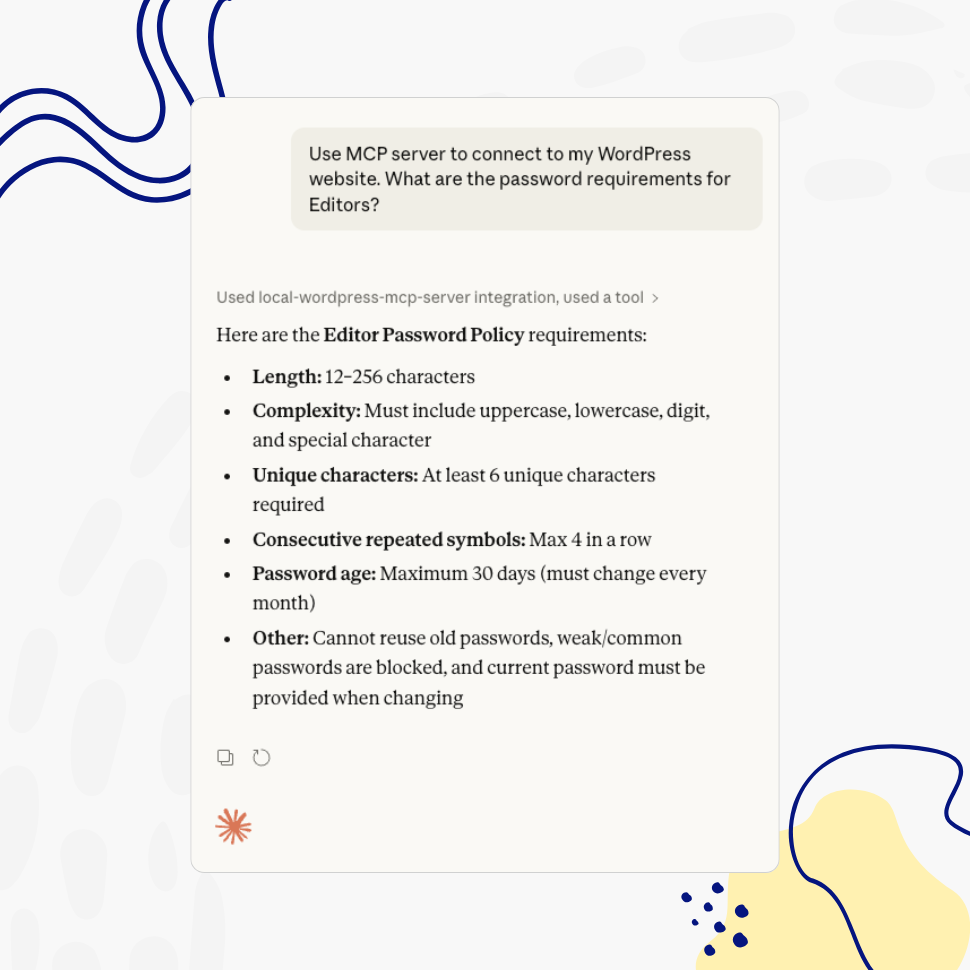
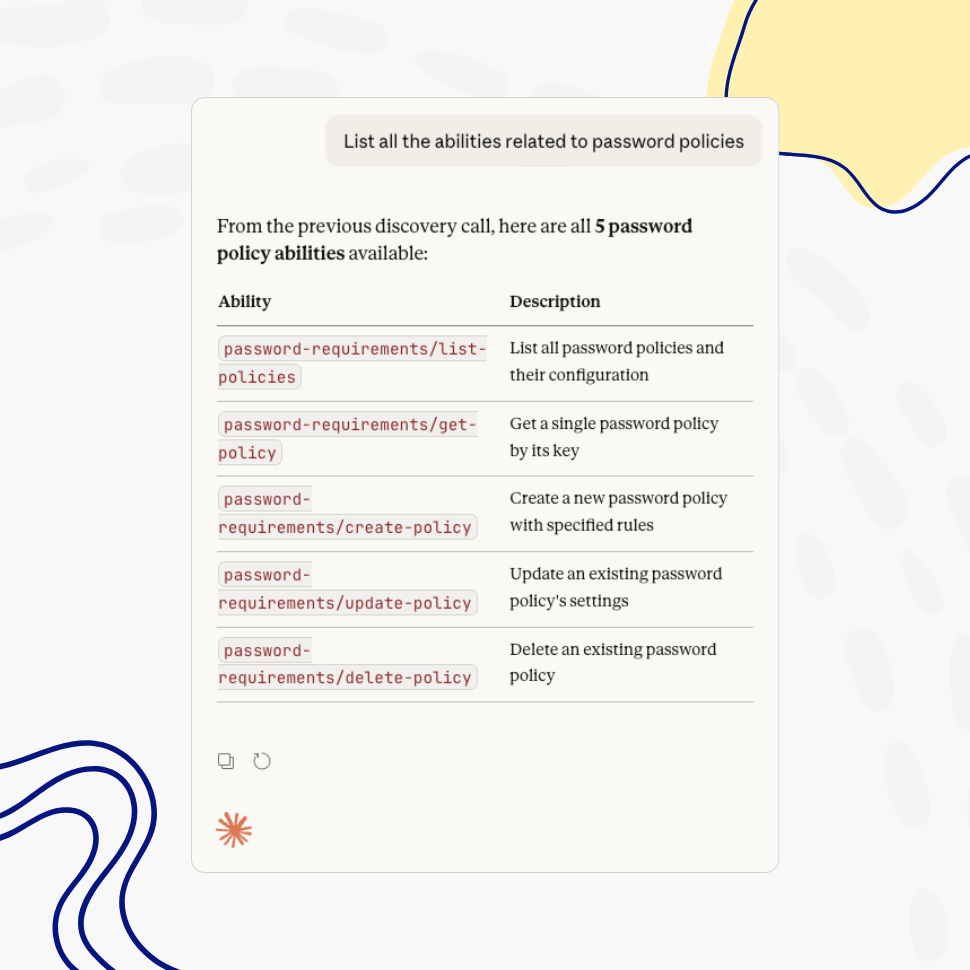
Conversational Management
List, Create, Update, and Delete Policies Through Natural Language
Ask your AI assistant to show all active password policies, create new ones, adjust complexity rules, change retention periods, reassign user roles, or remove policies you no longer need — all through simple, conversational commands. No need to navigate through settings screens.
Built-in Security
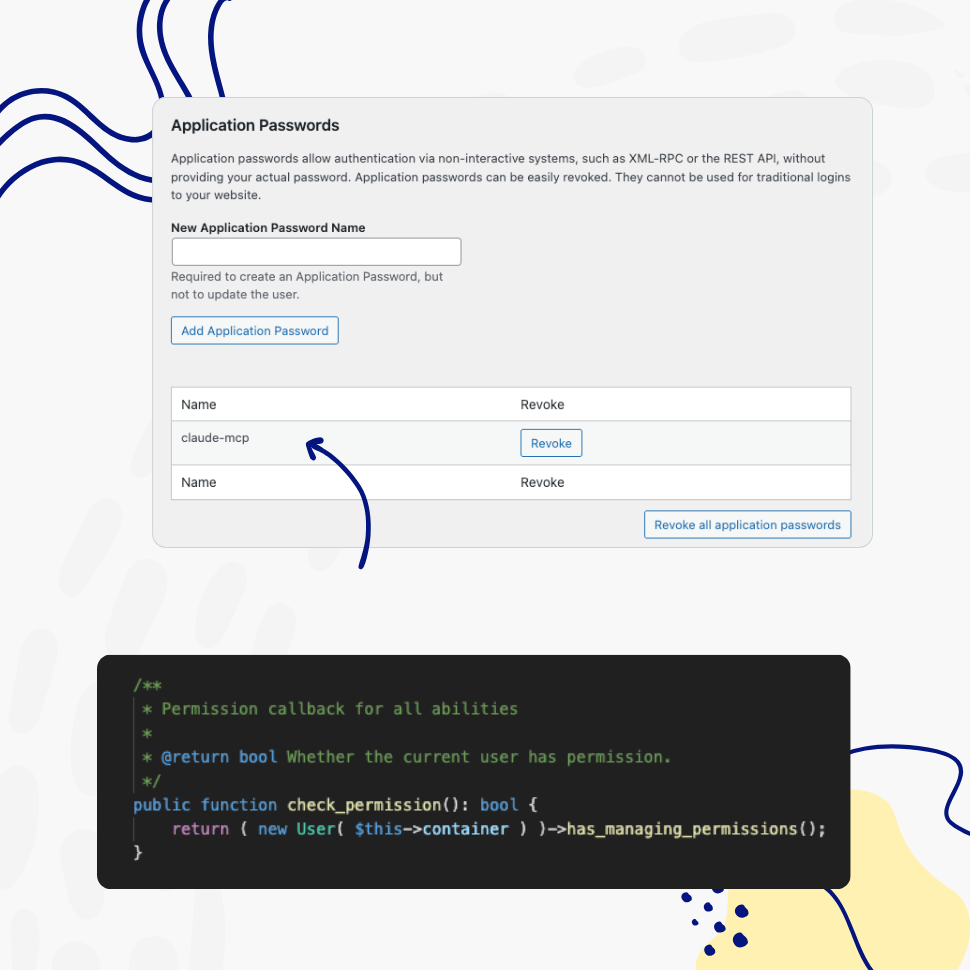
Every Action Respects WordPress Roles and Permissions
AI assistants can only perform actions the authenticated user is authorized to do. Every ability registered by WP Password Policy includes a permission check, and the MCP Adapter uses WordPress’s built-in application password mechanism for authentication — so no policy can be created, modified, or deleted without proper authorization.
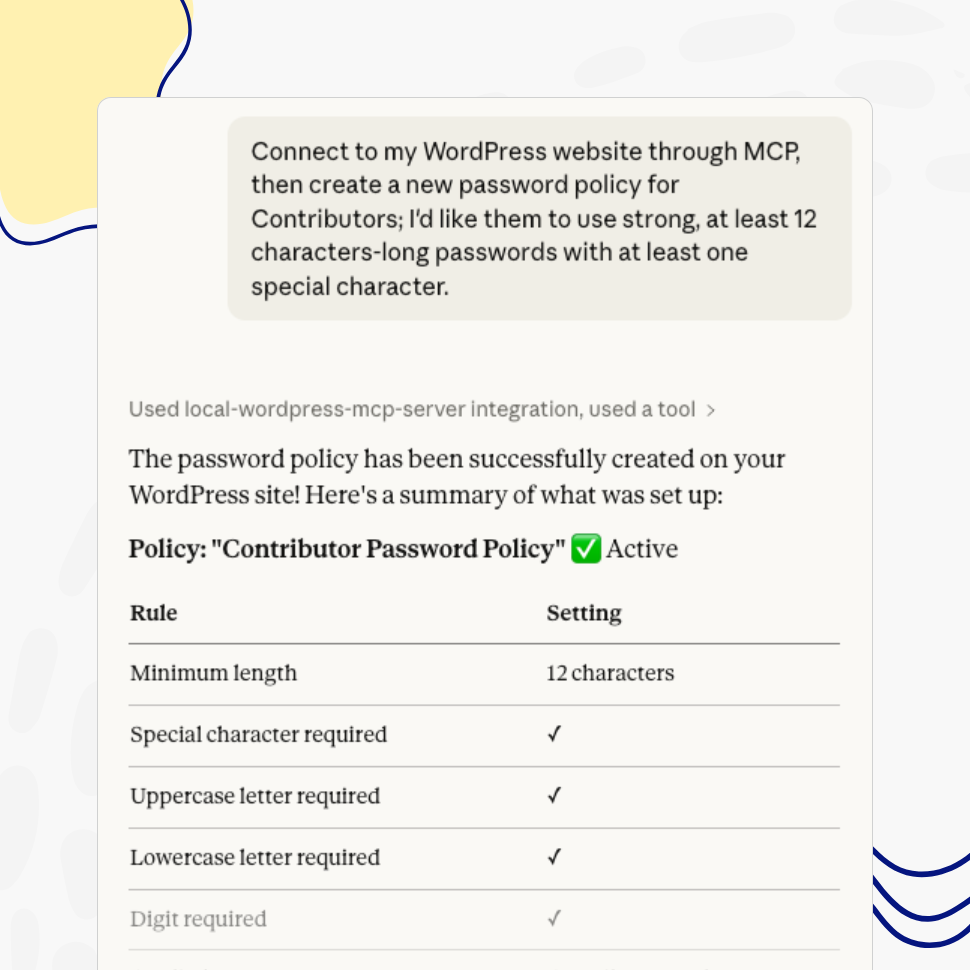
For Any MCP-Compatible Tool
Connect Your Preferred AI Assistant
WP Password Policy uses the WordPress Abilities API and MCP Adapter — both official WordPress projects. Any AI assistant that supports the Model Context Protocol can discover and interact with your password policies, including Claude, ChatGPT, and a growing number of other tools and IDEs.
The MCP Adapter supports both HTTP and STDIO transports, so it works with remote and local development setups alike.
How AI-Powered Policy Management Works — and Why It Matters
WordPress 6.9 introduced the Abilities API — a new core feature that allows plugins to register their functionality as discoverable, machine-readable “abilities.” When combined with the MCP Adapter plugin (an official WordPress project), these abilities become available to AI assistants as tools they can discover and use.
WP Password Policy takes full advantage of this new standard. Every policy management action — from listing existing policies to adjusting complexity rules — is registered as a WordPress Ability, making your password policies manageable through any MCP-compatible AI assistant.
What You Can Do with AI-Assisted Policy Management
- Review and audit policies instantly
Ask your AI assistant to show all active password policies on your site. Get a clear overview of configured rules, assigned user roles, and current settings without opening the WordPress dashboard. - Create policies using plain language
Describe the policy you need in a conversational way — for example: Create a policy for administrators that requires 12-character passwords with uppercase, lowercase, digits, and special characters, and expires every 90 days.” Your AI assistant will handle the rest. - Modify any setting through conversation
Adjust complexity rules, change password retention periods, reassign user roles, or enable and disable specific rules — all by telling your AI assistant what to change. - Remove policies safely
Delete policies you no longer need with a simple command. The AI assistant will confirm the action before making any destructive changes, keeping you in full control.
Who Benefits from AI-Powered Policy Management
WordPress administrators and site managers can manage password policies faster, especially when overseeing multiple sites. A quick conversational command replaces clicking through multiple settings screens.
Agencies and freelancers can standardize password policy configurations across client sites by describing policies in natural language, and quickly audit existing setups as part of their security workflow.
Security-conscious teams can combine AI-assisted policy management with existing compliance workflows. Reviewing, updating, and documenting password policies through conversation makes it easier to maintain SOC 2, HIPAA, or GDPR compliance.
Developers and DevOps teams can integrate password policy management into automated workflows, CI/CD pipelines, or custom tooling through the STDIO transport and WP-CLI commands.
Getting Started
Setting up AI integration requires just a few steps:
- Make sure you’re running WordPress 6.9 or later. The Abilities API is a core feature introduced in WordPress 6.9 — no additional setup is needed on the WordPress side.
- Install and activate the MCP Adapter plugin. The MCP Adapter is an official WordPress project that translates registered abilities into the Model Context Protocol format.
- Connect your AI assistant. Configure your preferred AI assistant to connect to your WordPress site’s MCP server.
- Start managing policies with natural language. Your AI assistant can now discover and interact with all WP Password Policy abilities.
Need help getting started? Review the plugin’s documentation or contact us for support!
Security and Privacy
Every action performed by an AI assistant goes through WordPress’s permission system. The AI can only do what the authenticated user is allowed to do — nothing more, nothing less.
WP Password Policy itself does not send any data to third-party services. All abilities are executed locally on your WordPress site. What data is exchanged depends on which AI assistant you use and how it’s configured.
If you don’t install the MCP Adapter, nothing changes — WP Password Policy continues to work exactly as before.
Features
Explore These Powerful Features Next
Discover the features offered by the WP Password Policy plugin for WordPress.
Easy Setup & Configuration
Set up password policies in just a few clicks – no complex configurations required. With preconfigured defaults, you’re ready to go in minutes.
Passwords Reuse Prevention
This feature prevents users from reusing previous passwords, requiring them to create a completely new one instead of relying on their favorite.
Password Complexity Enforcement
Ensure user passwords include uppercase and lowercase letters, digits, special characters, and unique (non-repeated) characters – while limiting consecutive symbols from the user’s name.
Dedicated Policies by User and/or Role
Apply password policies to specific users by username or user role. Create dedicated password policies for vendors, freelancers, or users with higher permissions – giving you complete control over your security settings.
Customizable Password Policy Rules
Easily tailor password policy rules to meet your organization’s security needs. Enable or disable specific rules and adjust all settings with flexibility.
Healthy Passwords Retention
Ensure your website’s security by defining clear password retention rules, reducing the risk of compromised accounts.
Restricted Passwords List
Ensure users avoid weak passwords such as “admin,” “password,” or “johnny123.” Use the predefined list provided by this plugin and freely adjust it to meet your specific needs.
AI Integration
Connect your WordPress site to AI assistants like Claude, ChatGPT, or any MCP-compatible tool and manage your password policies through simple, conversational commands.