
Pwned Passwords Integration
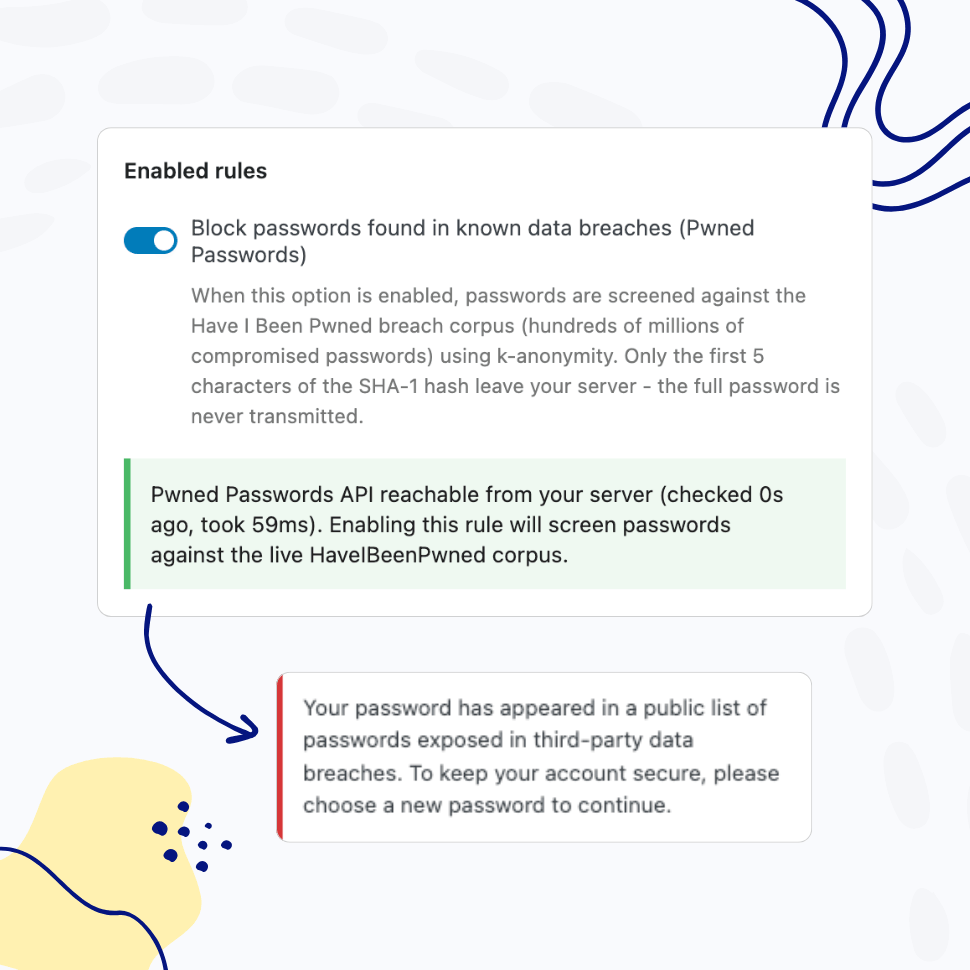
Block Compromised Passwords with Pwned Passwords Integration
Screen every password against the Have I Been Pwned database of millions of breached credentials – on set, on change, and at every login. Catch compromised passwords before attackers do.
- Real-time checks on password set, change, and login
- Privacy-preserving k-anonymity API – passwords never leave your site
Password Complexity Enforcement
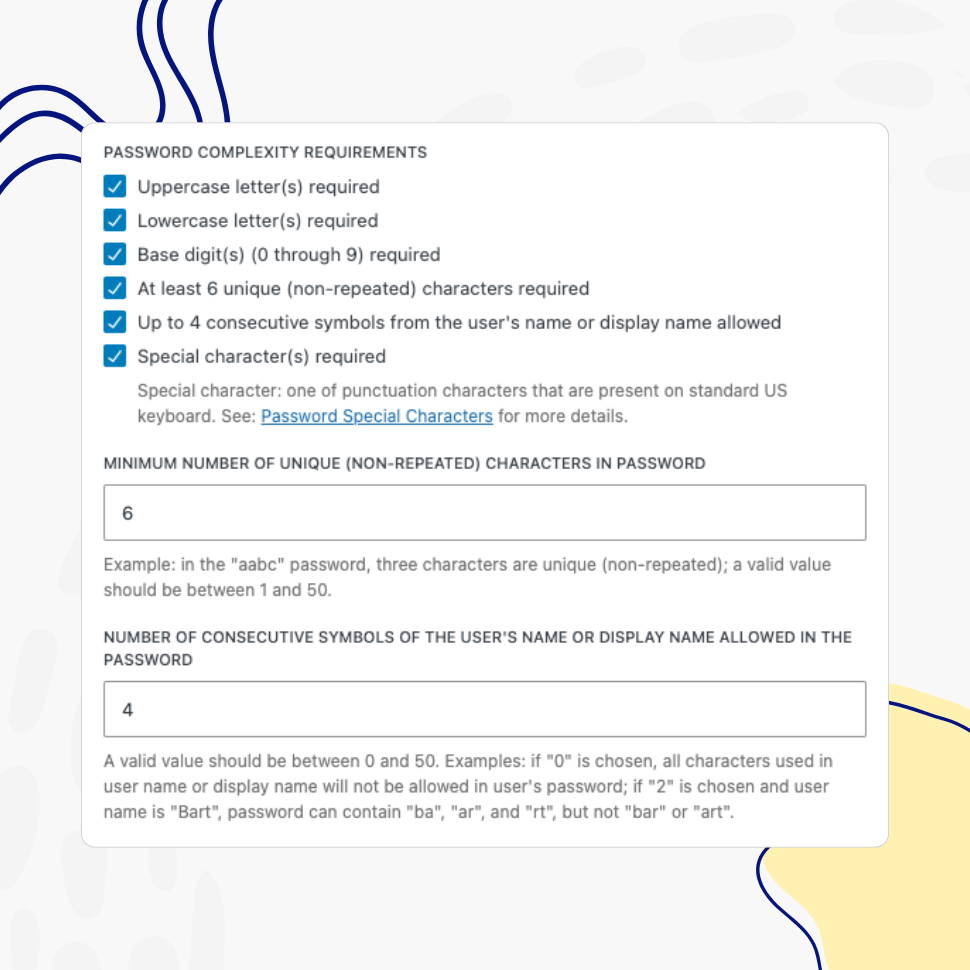
Define and Enforce Password Complexity Rules
Ensure users create sufficiently long passwords with the required combination of characters.
- Enforce the use of uppercase, lowercase, digits, special characters, and/or unique characters
- Set minimum and/or maximum password length
- Limit the use of consecutive symbols from the user’s name or display name
Restricted Passwords List
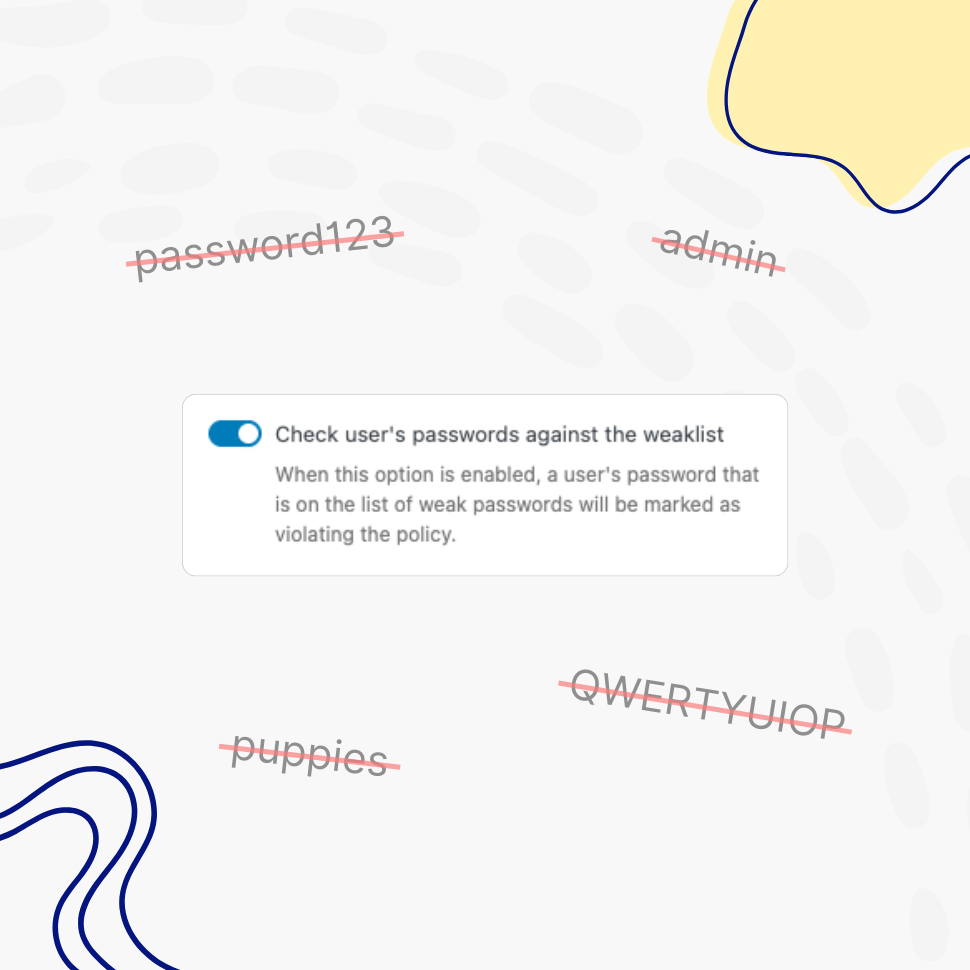
Block Common Passwords and Your Own Restricted Words
Stop weak passwords on two fronts. Screen every password against a list of over 100,000 of the most common passwords, and block your own restricted words and phrases – your brand, company, or product name – anywhere they appear inside a password.
- Ensure users don’t use weak passwords
- Update the list anytime to meet your unique needs
“The restricted passwords list blocks over 100,000 common weak passwords, which has plenty of value.”
WP Mayor
Dedicated Policies by User and/or Role
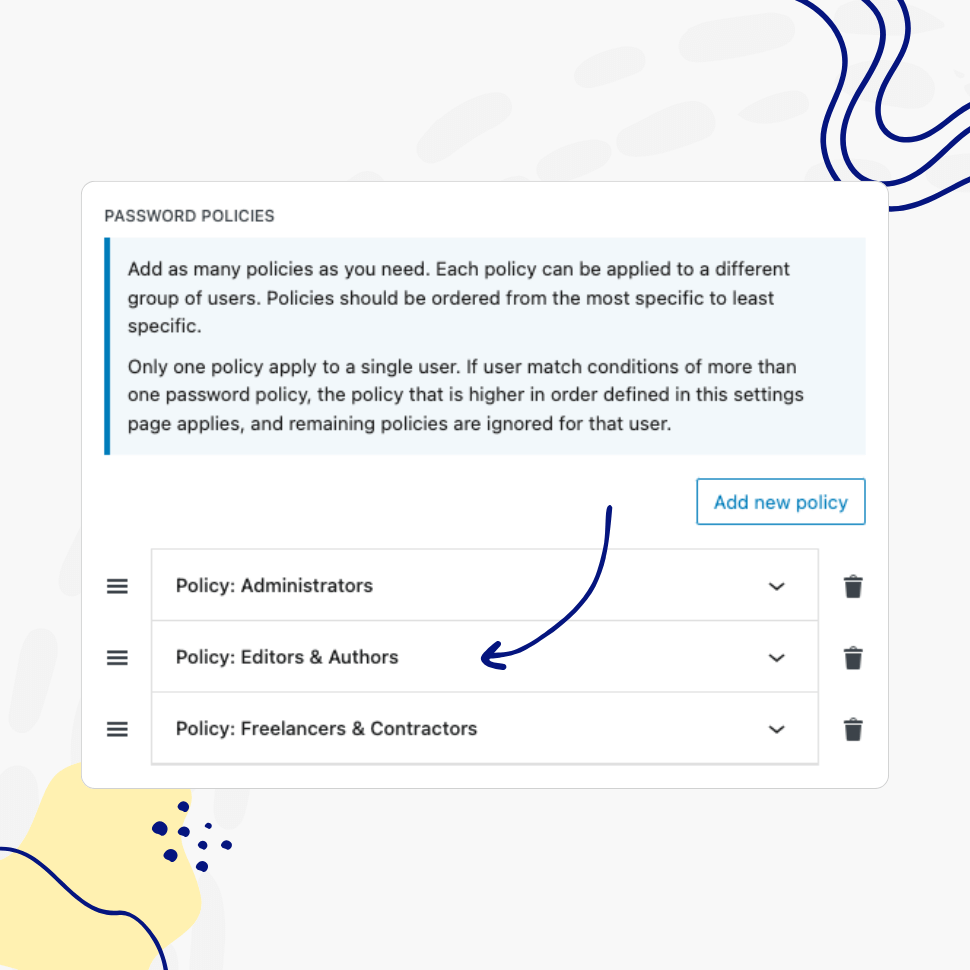
Create Dedicated Password Policies for Different User Groups
Define multiple password policies and assign them to specific users based on their role or username, ensuring greater flexibility and control.
- Assign policies by user role and/or by username
- Apply a policy to all users at once
“I like the role-based policies as it lets you create targeted requirements for different user groups.“
WP Mayor
Healthy Passwords Retention
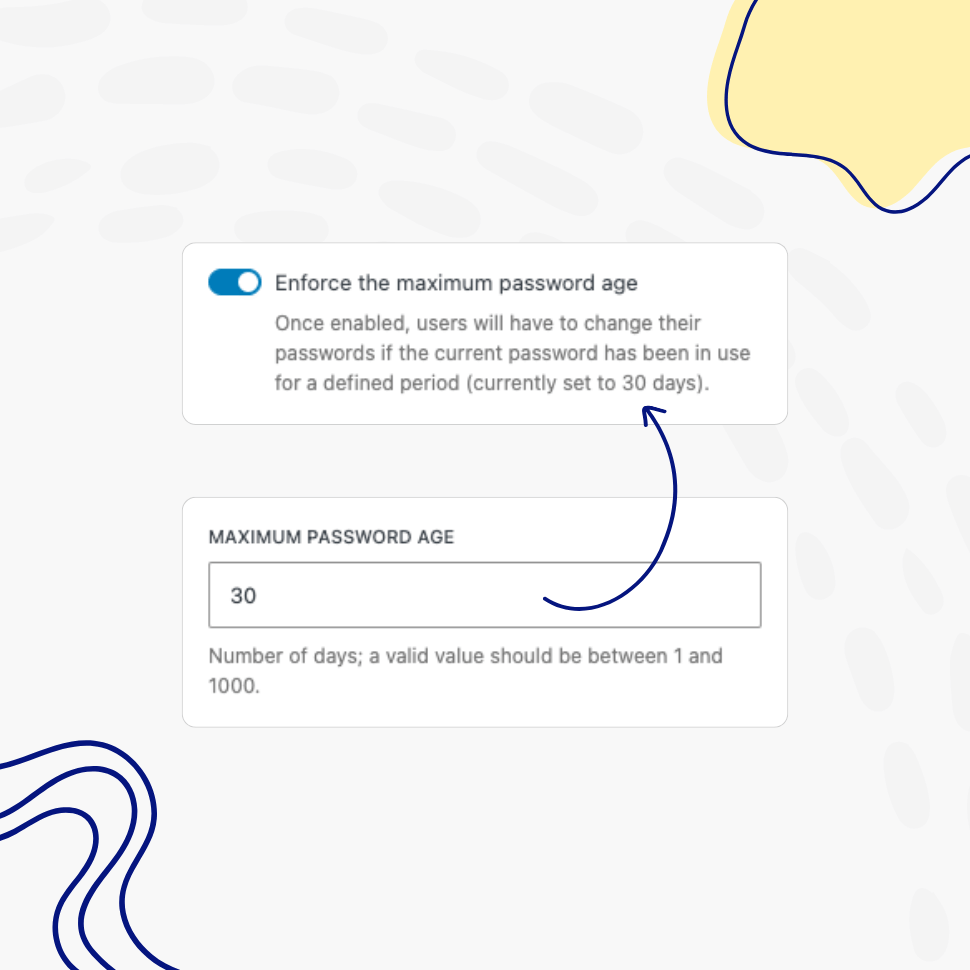
Protect Your Website by Enforcing Regular Password Updates
Ensure your website’s security by defining clear password retention rules, reducing the risk of compromised accounts.
- Control minimum and maximum password age
- Prevent overly frequent password changes to support password reuse prevention
- Enforce healthy password retention policies
Passwords Reuse Prevention
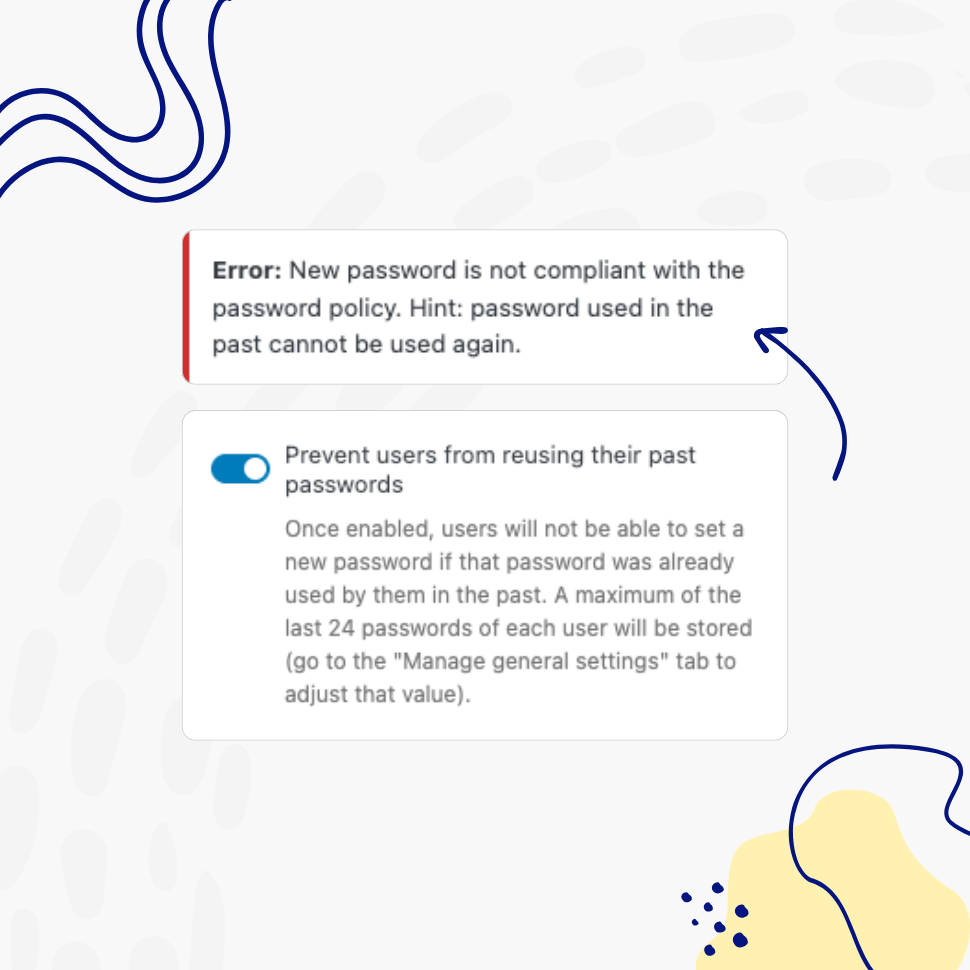
Prevent Reusing the Same Passwords
Ensure users create a completely new password instead of reusing old, “favorite” ones.
- Promote healthy password practices
- Reduce the risk of compromised passwords
Customizable Password Policy Rules
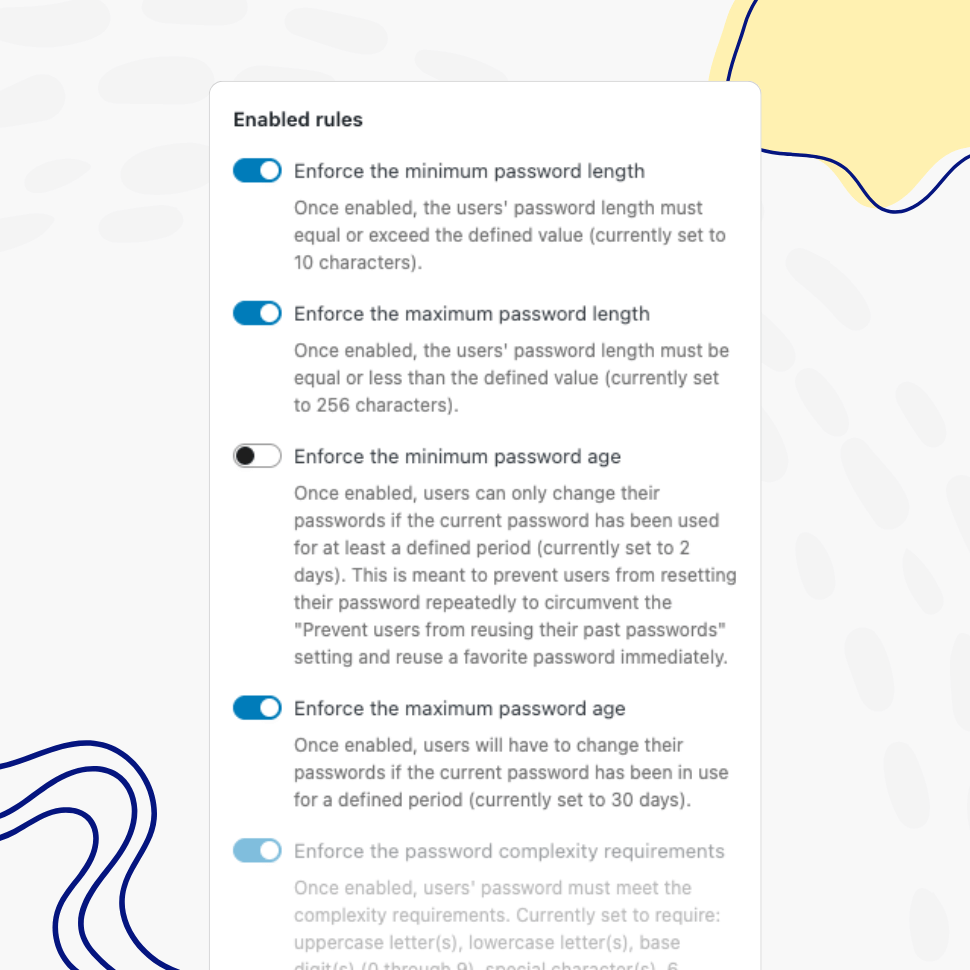
Enable as Many or as Few Password Policy Rules as Needed
Have full control over password policy rules by disabling those you don’t need.
- Customize and control password policy rules
- Apply different rules for each policy based on specific needs
- Use predefined defaults aligned with industry standards
Easy Setup & Configuration
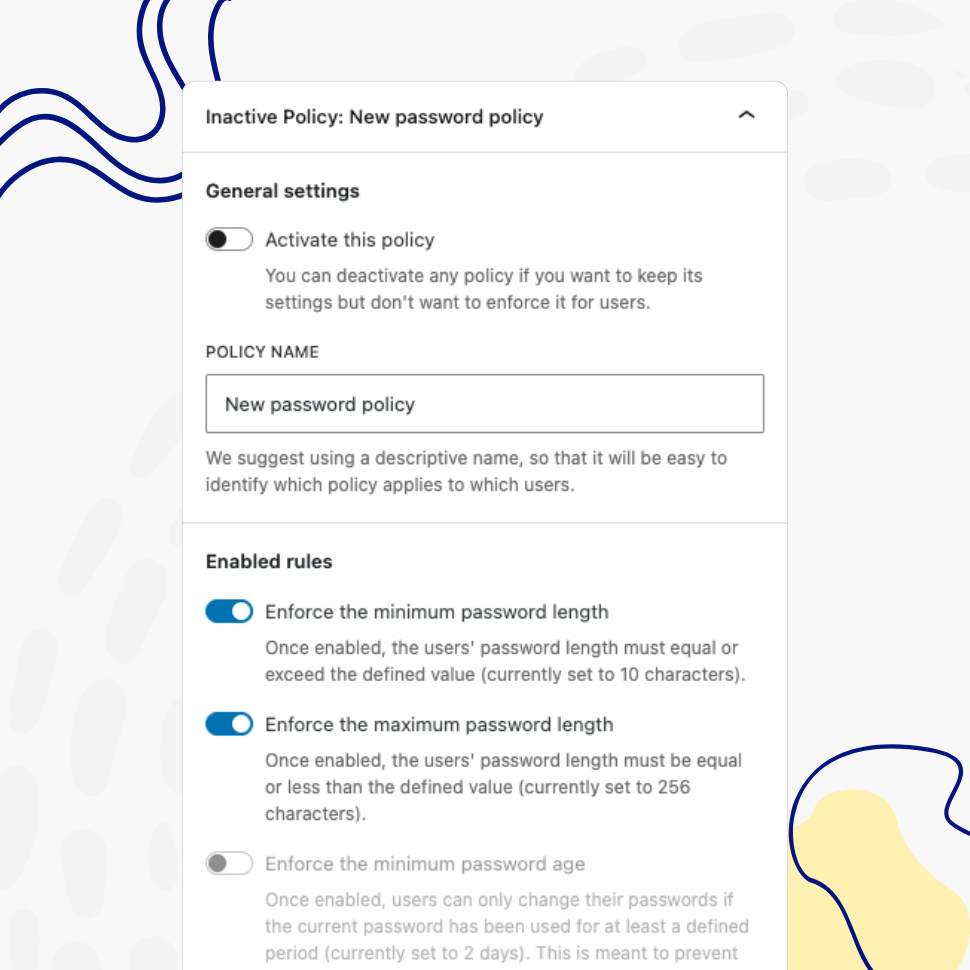
Start Strengthening Your WordPress Security in Minutes
Install the plugin and activate strong password policies with sensible default settings in just a few clicks. Or customize settings quickly to meet your unique requirements.
- Get started quickly with sensible defaults
- Easily adjust settings as needed
- No complicated setup or confusing configurations
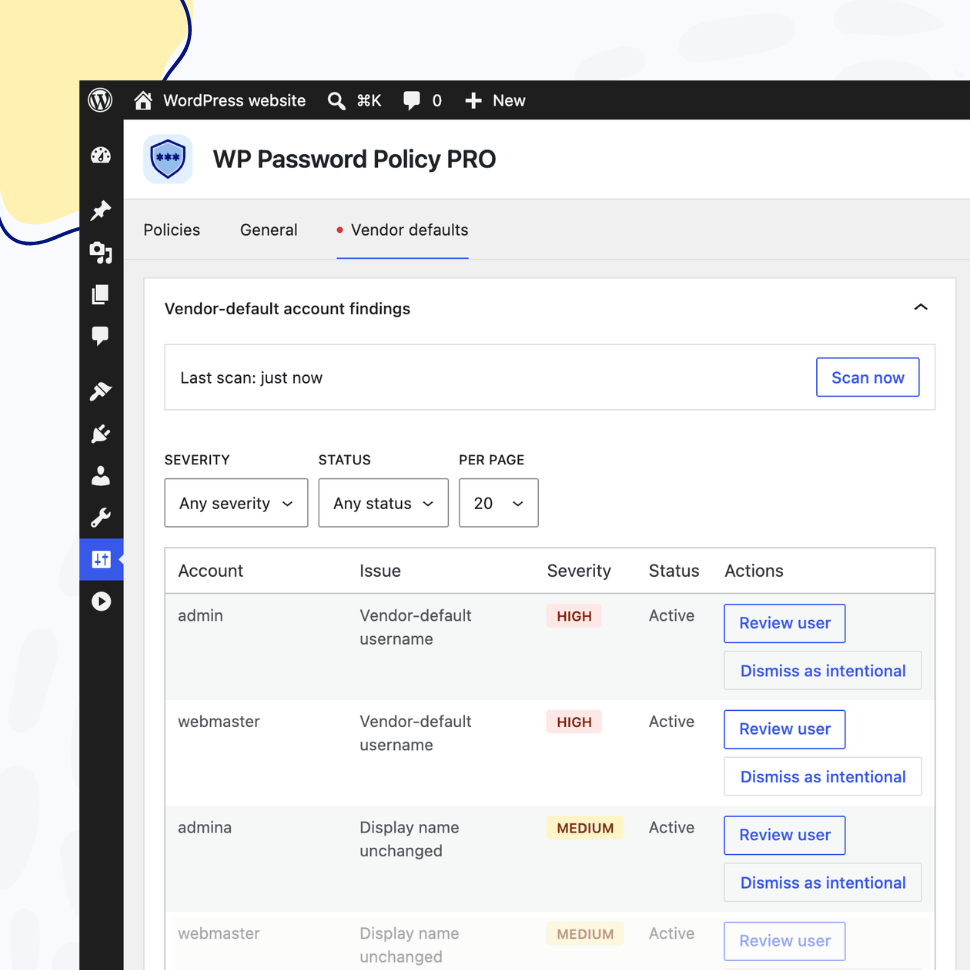
Vendor-Default Account Scanner
Catch Default and Admin-Style Accounts Before Attackers Do
Automatically scan every account for default usernames, predictable logins, and unchanged display names. The Vendor-Default Account Scanner surfaces the leftover, attacker-targeted accounts that slip through site handovers and staging clones.
- Detect default, domain-matching, and placeholder usernames, plus your own custom banned logins
- Flag display names left identical to the login, ranked by each account’s privilege level
- Review, dismiss, or re-flag every finding from a dashboard widget, settings tab, and Site Health
AI Integration
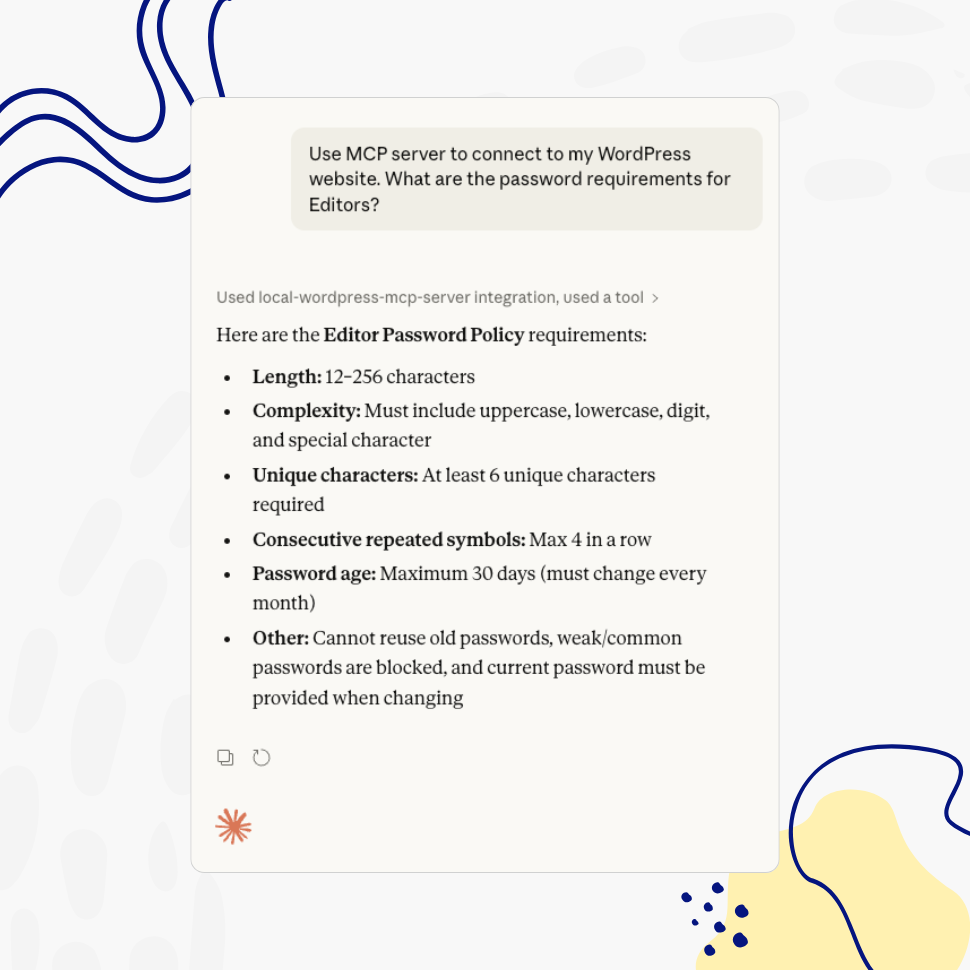
Manage Password Policies with AI — Using Natural Language
Connect your WordPress site to AI assistants like Claude, ChatGPT, or any MCP-compatible tool and manage your password policies through simple, conversational commands.
- List, create, update, and delete password policies using natural language
- Works with any AI assistant that supports the Model Context Protocol (MCP)
- Fully respects WordPress user roles and permissions
- Included free in all versions of WP Password Policy