
Features / Restricted Passwords List
Block Common Passwords and Your Own Restricted Words
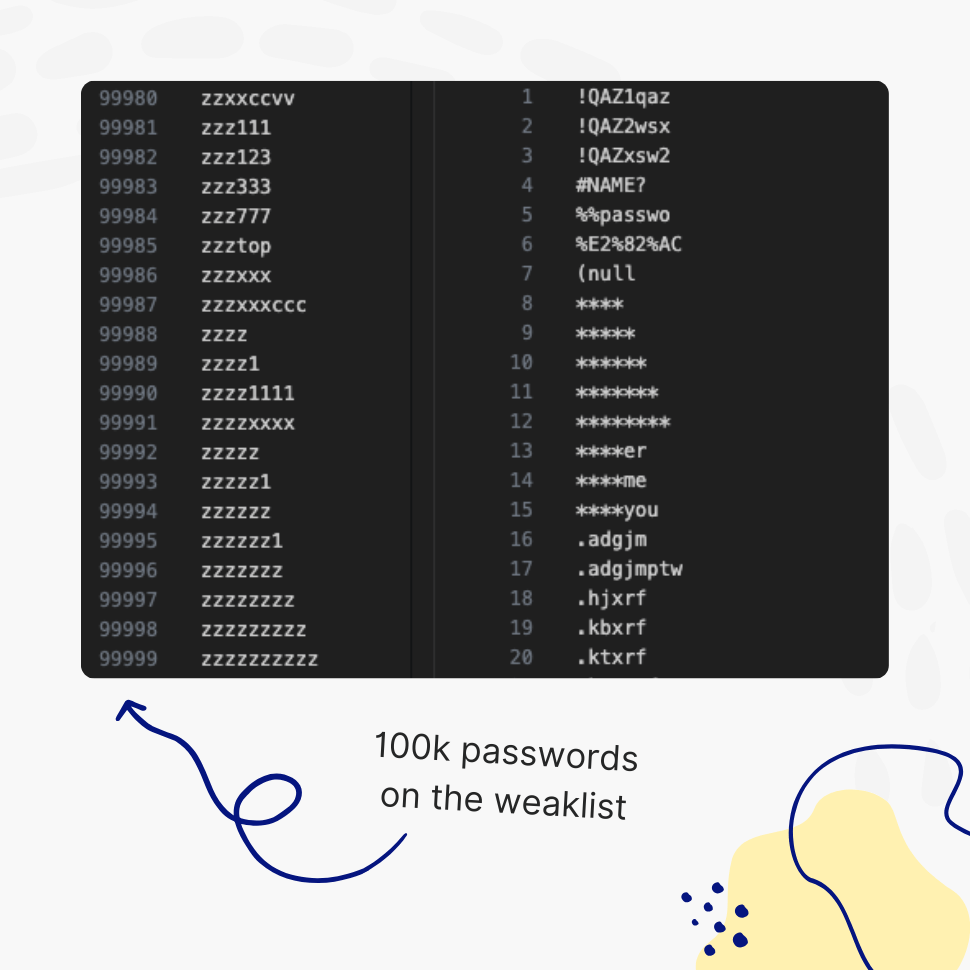
Stop weak passwords on two fronts. Screen every password against a list of over 100,000 of the most common passwords, and block your own restricted words and phrases – your brand, company, or product name – anywhere they appear inside a password.
- Ensure users don’t use weak passwords
- Update the list anytime to meet your unique needs
“The restricted passwords list blocks over 100,000 common weak passwords, which has plenty of value.”
WP Mayor
You’re fully covered by our 30-day risk-free money-back guarantee.
Fully Extensible
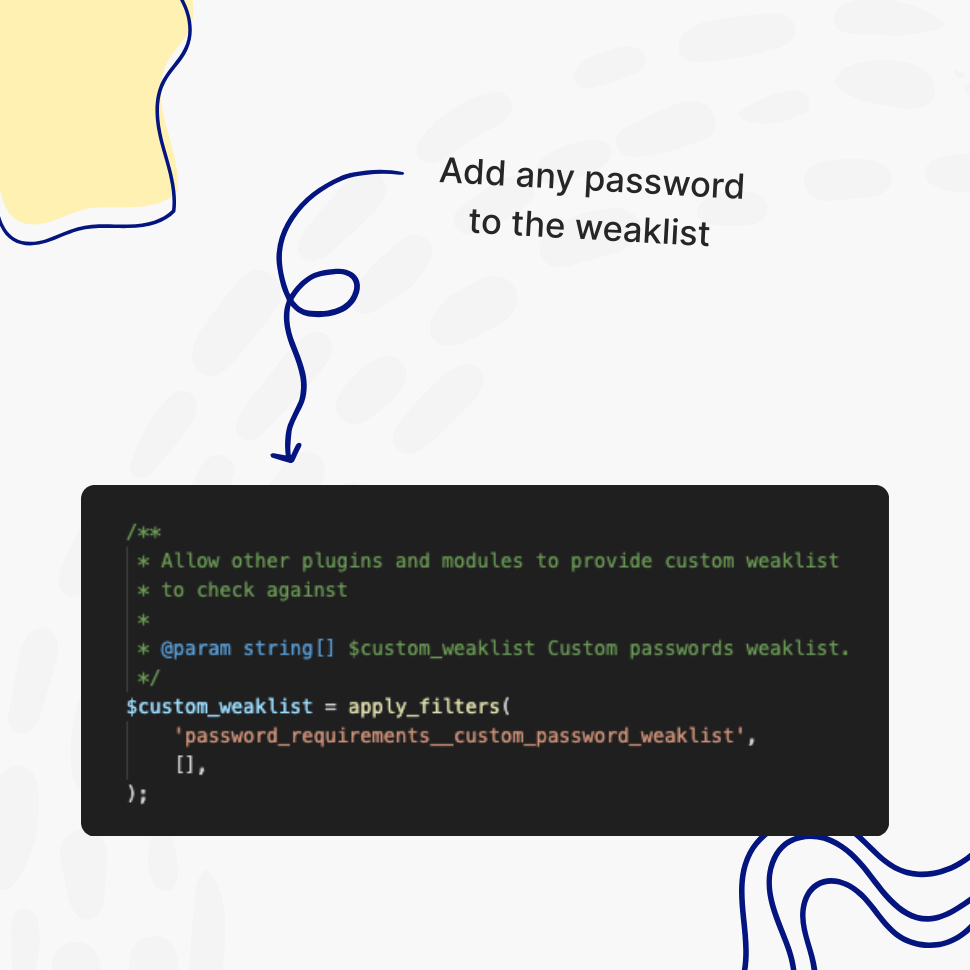
Extend the List of Restricted Passwords Anytime
Add as many common or restricted passwords to the list as needed to meet your organization’s specific requirements; for example, you might want to include your organization’s name.
Disallow Use Of The Common Passwords
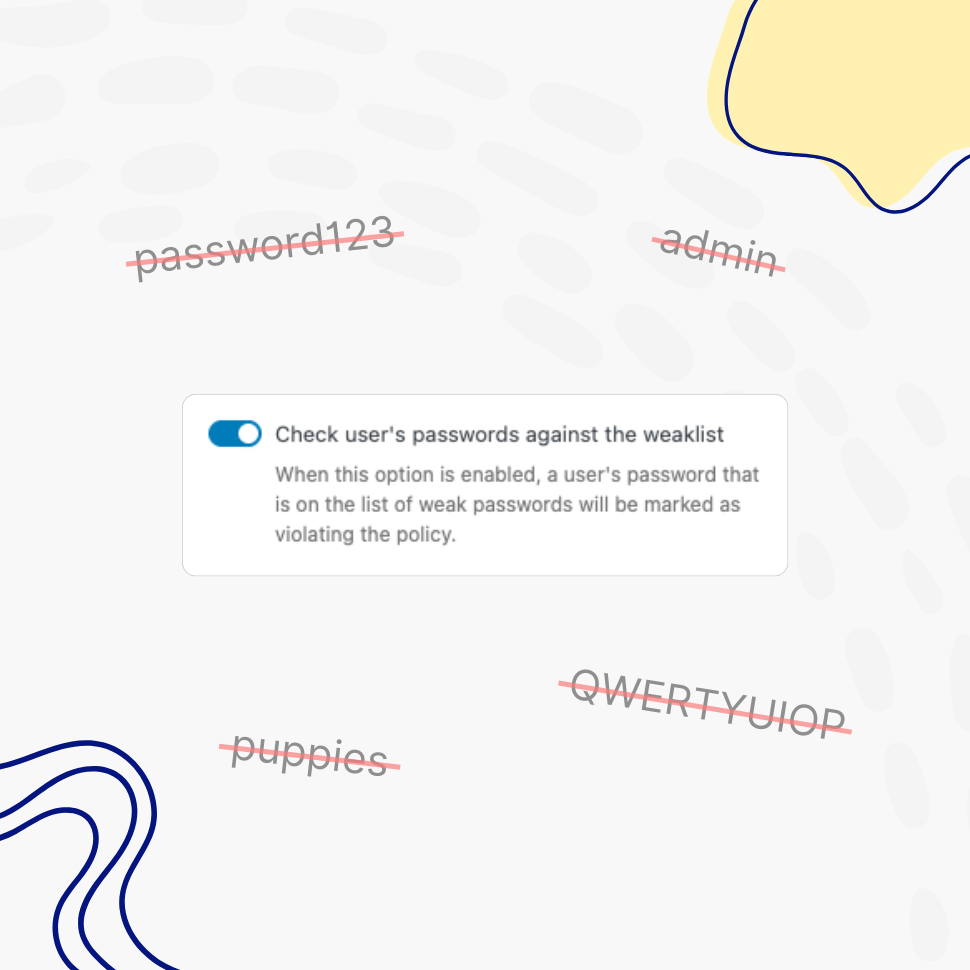
Passwords like “admin” or “puppies”? Not Anymore
This plugin checks users’ passwords against a predefined weak list to ensure restricted passwords are not allowed. Finally, “password”-like passwords are a thing of the past.
Restricted Words & Phrases
Block Your Brand, Company, and Custom Words
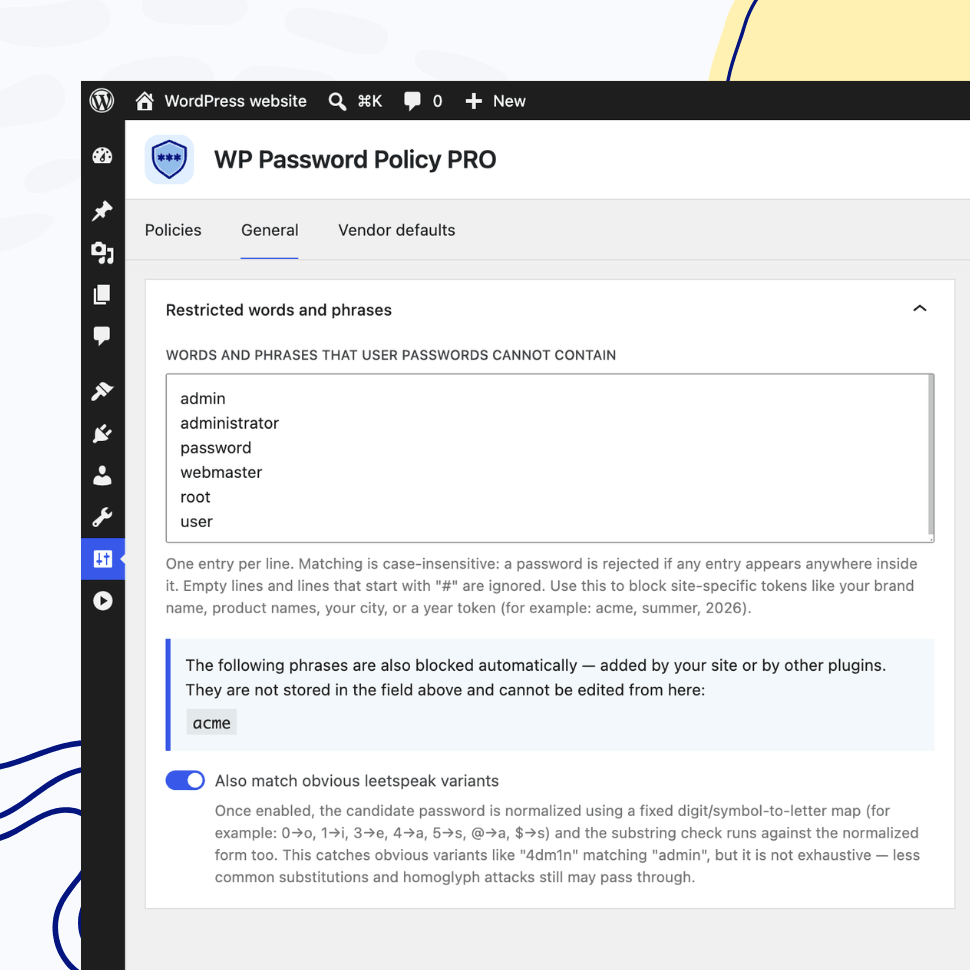
Beyond the common-password list, you can maintain your own list of restricted words and phrases. Any password containing one of them, anywhere inside it and regardless of letter case, is rejected.
So if acme is on your list, Acme2026! and myAcmePass are both blocked. The plugin ships with sensible defaults and automatically adds your site’s own domain name to the active list, so brand-based passwords are blocked out of the box. The rule can be toggled on or off per policy.
PRO adds leetspeak-aware matching. With it enabled, common character swaps are normalized before the check, so 4dm1n, p4$$w0rd, and r00t are caught as admin, password, and root. Your list stays as written; only the candidate password is normalized.
Enhancing WordPress Security by Checking Passwords Against a Weak List
When users create accounts with weak passwords, they inadvertently expose their accounts to potential security breaches. Attackers often leverage lists of commonly used passwords, such as “123456,” “password,” or “qwerty,” in brute force and credential-stuffing attacks. By automatically rejecting these weak passwords, WordPress administrators ensure that users are required to choose stronger, more complex credentials that are significantly harder to guess.
A Layered Security Approach
The enforcement of strong passwords contributes to a layered security approach, which is essential in today’s cybersecurity landscape. By preventing users from selecting passwords that are easily compromised, administrators reduce the likelihood of successful attacks, even if login attempts are automated. This proactive stance not only safeguards individual user accounts but also protects the overall integrity of the website.
When a single account is compromised due to a weak password, attackers may gain unauthorized access to sensitive information or even escalate privileges, leading to potential data breaches or website defacement. By eliminating weak passwords, such vulnerabilities are significantly reduced.
Building User Trust and Credibility
Beyond individual account security, this measure also improves the credibility and trustworthiness of the WordPress website. Users feel more confident knowing that their accounts are protected against common security threats. In an era where data breaches and hacking incidents are frequent, a website that actively enforces strong security practices enhances its reputation among users. This trust translates into increased engagement and loyalty, as users are more likely to interact with a platform they perceive as secure.
Moreover, checking passwords against a weak list encourages users to develop better security habits. When prompted to choose a stronger password, individuals may adopt a more security-conscious mindset, extending this practice beyond just their WordPress account. This simple intervention has a ripple effect, fostering a culture of cybersecurity awareness that benefits both users and website administrators alike.
Implementing Strong Password Policies in WordPress
From a technical perspective, implementing strong password policies can be seamlessly integrated into WordPress through our plugin. The PRO version comes with a list of 100,000 common passwords to check against, which users can adjust to meet their specific needs.
The positive impact of enforcing strong password policies is clear. By blocking weak and commonly used passwords, WordPress websites significantly reduce the risk of unauthorized access, fortify user accounts, and enhance overall site security. This proactive measure contributes to a safer online environment, where users can confidently engage with the platform without the looming threat of compromised credentials.
In the long run, such security enhancements not only protect individual users but also ensure the sustainability and reliability of WordPress websites in an increasingly digital world.
Looking for protection against globally breached passwords? Read more about the Pwned Passwords Integration feature.
Features
Explore These Powerful Features Next
Discover the features offered by the WP Password Policy plugin for WordPress.
Vendor-Default Account Scanner
Automatically scan your site for default or admin-style usernames and unchanged display names, then review and fix the risky accounts attackers target first.
Pwned Passwords Integration
Screen every password against the Have I Been Pwned database of breached credentials, blocking passwords already exposed in known data breaches.
Password Complexity Enforcement
Ensure user passwords include uppercase and lowercase letters, digits, special characters, and unique (non-repeated) characters – while limiting consecutive symbols from the user’s name.
Dedicated Policies by User and/or Role
Apply password policies to specific users by username or user role. Create dedicated password policies for vendors, freelancers, or users with higher permissions – giving you complete control over your security settings.
Customizable Password Policy Rules
Easily tailor password policy rules to meet your organization’s security needs. Enable or disable specific rules and adjust all settings with flexibility.
Healthy Passwords Retention
Ensure your website’s security by defining clear password retention rules, reducing the risk of compromised accounts.
Restricted Passwords List
Ensure users avoid weak passwords such as “admin,” “password,” or “johnny123.” Use the predefined list provided by this plugin and freely adjust it to meet your specific needs.
AI Integration
Connect your WordPress site to AI assistants like Claude, ChatGPT, or any MCP-compatible tool and manage your password policies through simple, conversational commands.
Easy Setup & Configuration
Set up password policies in just a few clicks – no complex configurations required. With preconfigured defaults, you’re ready to go in minutes.
Passwords Reuse Prevention
This feature prevents users from reusing previous passwords, requiring them to create a completely new one instead of relying on their favorite.