

With over 8 million online stores powered by WooCommerce worldwide, securing your e-commerce website has never been more critical. Every few seconds a cyberattack occurs somewhere on the web, making WooCommerce security an essential priority for online business owners who handle sensitive customer data daily.
WooCommerce stores process everything from customer information and payment details to business-critical data. A single security breach can devastate your online business, erode customer trust, and result in significant financial losses. This comprehensive guide will walk you through essential security measures, advanced configurations, and best practices to keep your WooCommerce store secure against evolving cyber threats.
Whether you’re launching a new e-commerce website or strengthening an existing WordPress site, implementing robust security measures protects both your business and your customers’ sensitive information. Let’s dive into the critical steps every WooCommerce store owner must take to maintain a secure online presence.
Why WooCommerce Security is Critical for Your Business
WooCommerce powers over 8 million online stores worldwide, processing billions of dollars in transactions annually. These online stores handle incredibly sensitive customer data including names, addresses, phone numbers, and payment information. When you consider the scope of data protection regulations like GDPR and CCPA, the stakes for maintaining proper security become even higher.
Security breaches can lead to devastating financial losses, legal consequences, and permanently damaged reputation. The cost of a data breach for small businesses is not only money but also potential regulatory fines and lost customer trust.
Beyond immediate financial impact, security incidents can lose customer trust permanently. Modern consumers are increasingly aware of cybersecurity risks and actively avoid businesses that can’t protect their sensitive data. A single breach can result in missing customer emails, compromised login credentials, and customers abandoning their shopping carts forever.
Proper security also improves your search engine rankings. Google actively rewards secure websites with better positioning, while sites lacking basic security measures like SSL certificates face ranking penalties. Search engines prioritize user safety, making website security a crucial factor in your online business success.
The interconnected nature of WordPress and WooCommerce creates multiple potential attack surfaces. From the WordPress core and plugins to your hosting provider and payment gateways, each component requires careful security consideration. Understanding these vulnerabilities is the first step toward building comprehensive protection for your WooCommerce website.
Essential WooCommerce Security Measures
Choose a Secure Hosting Provider
Your reputable hosting provider forms the foundation of your WooCommerce site’s security. Server-level protection can prevent attacks before they reach your WordPress website, making hosting selection one of your most critical security decisions.
Look for hosting providers that offer these essential security features:
| Security Feature | Importance | What It Protects Against |
|---|---|---|
| Free SSL Certificates | Critical | Data transmission interception |
| DDoS Protection | High | Traffic-based attacks and site downtime |
| Malware Scanning | High | Malicious code injection and infections |
| Automated Backups | Critical | Data loss and quick recovery |
| Web Application Firewall | High | Brute force attacks and malicious requests |
| Server-Level Security | Critical | Unauthorized server access |
WooCommerce-approved hosting providers specifically optimize their infrastructure for WordPress and WooCommerce websites. These providers understand the unique security challenges facing e-commerce websites and implement specialized protections accordingly.
Your hosting provider should maintain server-level security through regular security patches, hardened server configurations, and proactive monitoring. They should also provide secure method called tokenization for handling sensitive payment data and ensure PCI compliance for all e-commerce stores on their platform.
Implement SSL Certificates and HTTPS
SSL certificates encrypt data transmitted between your customers and your online store, protecting sensitive information during checkout and login processes. Google has required HTTPS for secure checkout pages since 2018, making SSL encryption non-negotiable for any serious e-commerce website.
Modern browsers display warning messages for sites lacking proper SSL certificates, immediately damaging customer trust and potentially causing cart abandonment. Beyond security benefits, HTTPS implementation positively impacts search engine rankings, as Google considers secure socket layer protection a ranking factor.
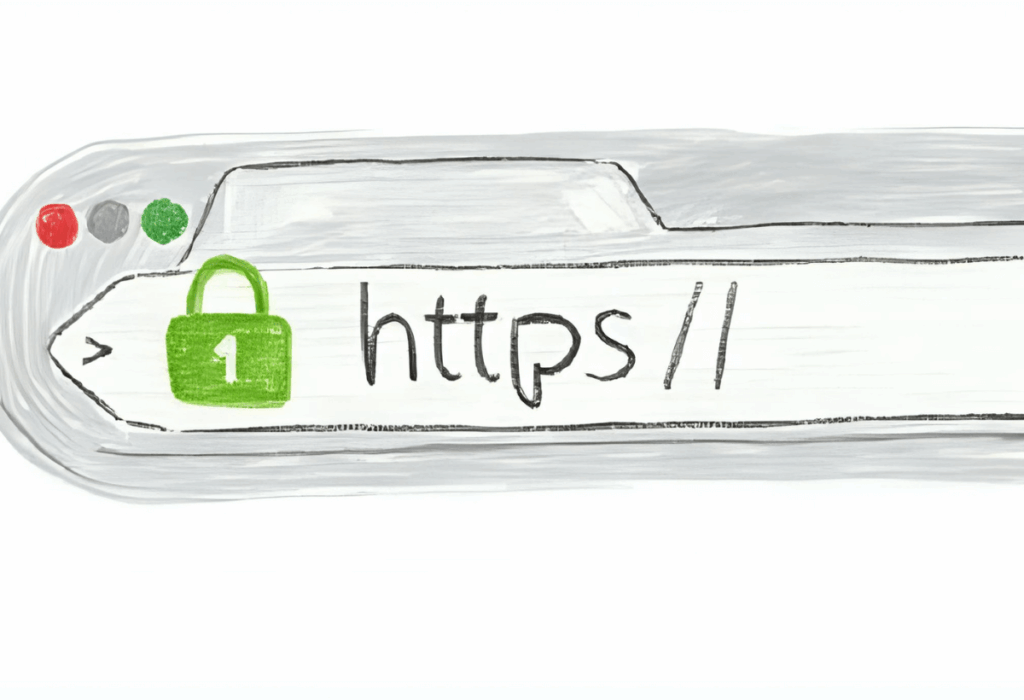
Most reputable hosting providers offer free SSL certificates through Let’s Encrypt. Here’s how to implement HTTPS properly:
- Install SSL Certificate: Most hosting control panels provide one-click SSL installation,
- Force HTTPS Redirects: Edit your .htaccess file to redirect all HTTP traffic to HTTPS,
- Update Internal Links: Ensure all internal links use HTTPS protocol,
- Test Implementation: Use SSL checker tools to verify proper configuration.
Add this code to your .htaccess file to force HTTPS redirects:
RewriteEngine On
RewriteCond %{HTTPS} off
RewriteRule ^(.*)$ https://%{HTTP_HOST}%{REQUEST_URI} [L,R=301]
Remember to update your WordPress dashboard settings to use HTTPS URLs and check that all external resources (images, scripts, stylesheets) load over secure connections to avoid mixed content warnings.
Enforce Strong Password Policies
Weak passwords and stolen credentials remain the primary attack vector for 86% of data breaches according to Verizon’s 2023 Data Breach Investigations Report. For WooCommerce stores, this vulnerability extends beyond admin accounts to customer data protection, making comprehensive password security absolutely essential.
Requiring customers to use strong passwords protects both their individual accounts and your store’s overall security. When customers use weak passwords like “123456” or “password,” they become vulnerable to brute force attacks and credential stuffing attacks that can compromise multiple accounts simultaneously.
Implement these password requirements for all user accounts:
- Minimum 12 characters with mix of uppercase, lowercase, numbers, and symbols,
- Prohibit common passwords and dictionary words,
- Require periodic password updates every 90 days for admin accounts,
- Prevent password reuse for the last 5 passwords,
- Display real-time password strength indicators during registration.
Customer education plays a crucial role in password security. Provide clear guidance on creating strong passwords and explain how robust authentication protects their sensitive customer information. Consider implementing password managers recommendations and multi-factor authentication options to further enhance account security.
Strong password enforcement protects your store’s reputation and ensures customers feel confident sharing their customer information during checkout. This trust directly impacts conversion rates and customer retention, making password security a business imperative beyond technical protection.
➡️ WP Password Policy plugin allows you to setup comprehensive policy enforcement with customizable requirements and customer education features, helping you to protect customer information by ensuring strong authentication across all user accounts.
Advanced Security Configurations
Enable Two-Factor Authentication (2FA)
Two-factor authentication significantly reduces unauthorized access. This additional security layer requires users to provide a secondary credential beyond their password, dramatically reducing successful account takeovers even when login credentials are compromised.
For WooCommerce websites, 2FA is particularly critical for admin accounts that can gain access to sensitive customer information, payment settings, and store configurations. However, offering 2FA for customer accounts also enhances overall security and demonstrates your commitment to protecting customer data.
Setup process for 2FA implementation:
- Install chosen 2FA plugin and configure basic settings,
- Enable 2FA for all admin accounts with role-based requirements,
- Provide backup authentication methods like backup codes or alternative devices,
- Train staff members on proper 2FA usage and backup procedures,
- Consider customer 2FA options for high-value accounts or sensitive operations.
Mobile app recommendations for 2FA include Google Authenticator, Authy, and Microsoft Authenticator. These apps generate time-based tokens that remain valid for short periods, ensuring even intercepted codes quickly become useless to attackers.
Install Web Application Firewall (WAF)
A web application firewall acts as a protective barrier between your WooCommerce store and potential attackers, filtering malicious traffic before it reaches your website. WAF solutions analyze incoming requests against known attack patterns, blocking threats like SQL injection, cross-site scripting, and brute force attack attempts.
Two primary WAF deployment options exist: cloud-based and plugin-based solutions.
Cloud-based WAF solutions filter traffic before it reaches your hosting provider, offering superior protection against large-scale attacks and DDoS incidents. Popular options include:
- Cloudflare – Free tier available with robust protection and performance benefits,
- Sucuri CloudProxy – Specialized in WordPress security with malware cleanup services,
- AWS CloudFront – Enterprise-level protection with global content delivery.
Plugin-based WAF solutions on the other hand operate at the application level within your WordPress site.
Configuration tips for optimal WAF protection:
- Enable country blocking if you only serve specific geographic regions,
- Configure IP whitelisting for the admin panel access to known administrator locations,
- Set up rate limiting to prevent automated attacks,
- Monitor blocked requests to identify attack patterns and false positives,
- Regularly update firewall rules to address new threat signatures.
The web application firewall should complement, not replace, other security measures. Combining WAF protection with strong authentication, regular updates, and monitoring creates multiple defensive layers that significantly reduce successful attack probability.
Implement Brute Force Protection
Brute force attacks target admin login pages with automated password guessing, attempting thousands of username and password combinations to gain unauthorized access to your WordPress dashboard. These attacks specifically threaten WooCommerce stores because successful admin access provides control over customer data, payment settings, and store configurations.
Standard WordPress installations use predictable login URLs (/wp-admin) that make them easy targets for automated tools. Implementing comprehensive brute force protection involves multiple defensive strategies working together like limiting login attempts and hiding the login form under a custom URL.
Additional brute force protection strategies:
- IP whitelisting for admin access – Restrict administrative login to specific IP addresses or ranges,
- Time-based access restrictions – Limit admin access to business hours when monitoring is active,
- CAPTCHA implementation – Add visual verification to login forms during suspicious activity,
- Login monitoring – Track all login attempts with detailed logs for pattern analysis.
Monitor your security logs regularly to identify attack patterns and adjust protection accordingly. Legitimate users should rarely trigger brute force protection, so consistent lockouts may indicate either ongoing attacks or overly restrictive settings requiring adjustment.
Regular Maintenance and Monitoring
Keep Everything Updated
Outdated software represents the single largest security vulnerability for WooCommerce websites. Many WordPress security issues stem from outdated plugins, themes, and core installations. Maintaining current software versions closes known security vulnerabilities before attackers can exploit them.
Establish a systematic update schedule:
- WordPress core updates: Monthly for minor versions, immediately for security releases,
- Plugin updates: Weekly review and testing in staging environment,
- Theme updates: Quarterly unless security updates are available,
- WooCommerce core: Follow WordPress core schedule with special attention to security releases.
Staging environment testing is crucial before applying updates to your live WooCommerce store. Your reputable hosting provider should offer staging capabilities, allowing you to test updates without risking your production site’s functionality.
Enable automatic updates carefully. While WordPress core security updates can be automated safely, plugin and theme updates should be tested first to prevent compatibility issues that could compromise your online store functionality.
Create update documentation tracking:
- Update dates and versions for all components,
- Compatibility testing results before production deployment,
- Rollback procedures if updates cause issues,
- Emergency contact information for critical update failures.
Regular Malware Scanning
Proactive malware scanning detects security threats before they compromise customer data or damage your store’s reputation. Scanning frequency should match your store’s activity level: daily scanning for high-traffic stores processing hundreds of orders, weekly scanning for smaller operations.
Interpreting scan results requires understanding different threat categories:
- Critical threats require immediate attention and may compromise customer data,
- Medium threats should be addressed within 24-48 hours,
- Low-priority warnings can be scheduled for regular maintenance windows,
- False positives need verification before taking corrective action.
Quarantine suspicious files rather than deleting them immediately. This approach allows investigation and potential restoration if files are legitimate but flagged incorrectly by scanning tools.
Backup Strategy
Comprehensive backup strategy following the 3-2-1 rule provides essential protection against data loss from security breaches, hardware failures, or human error. This rule requires maintaining 3 backup copies across 2 different media types with 1 copy stored offsite.
For WooCommerce stores, backups must include both website files and the WordPress database containing customer orders, product information, and configuration settings. Missing either component makes complete restoration impossible.
| Backup Component | Frequency | Storage Location | Retention Period |
|---|---|---|---|
| Complete Site Backup | Weekly | Offsite cloud storage | 3 months |
| Database Backup | Daily | Multiple cloud providers | 1 month |
| Critical Files Backup | Daily | Local and cloud storage | 2 weeks |
| Pre-update Backup | Before each update | Staging environment | Until update verification |
Test backup restoration regularly to ensure backup integrity and restoration procedures work correctly. Many backup failures are discovered only when restoration is needed urgently, making testing a critical component of any backup strategy.
Real-time backup monitoring alerts administrators to backup failures immediately, preventing data loss during critical periods. Configure monitoring to check backup completion, file integrity, and storage availability continuously.
User Management and Permissions
Proper user management significantly reduces security risks by implementing the principle of least privilege throughout your WooCommerce website. Each user account should have only the minimum permissions necessary to perform their specific job functions, limiting potential damage from compromised accounts or malicious insiders.
WordPress provides several built-in user roles that integrate seamlessly with WooCommerce functionality:
- Administrator – Complete access to WordPress dashboard, plugins, themes, and all WooCommerce settings. Limit this role to site owners and senior technical staff only,
- Shop Manager – Access to WooCommerce-specific functions including orders, products, customers, and reports without WordPress core modification capabilities. Ideal for store operations staff,
- Customer – Frontend access for order history, account management, and checkout processes. Standard role for all purchasing users,
- Subscriber – Basic account access without purchasing capabilities. Useful for newsletter subscribers or restricted access scenarios,
- Editor – Content management access for blog posts and pages without store or system administration capabilities.
Implement quarterly user account auditing to maintain security hygiene:
- Review all admin accounts and downgrade unnecessary elevated permissions,
- Remove inactive user accounts that haven’t logged in within 90 days,
- Verify employee accounts match current staffing and responsibilities,
- Check for suspicious account creation or unauthorized permission changes,
- Update user passwords for accounts with administrative access.
File permissions require careful configuration to prevent unauthorized access while maintaining functionality. Restrict access to sensitive files by implementing proper server-level controls. Your hosting provider should configure access restrictions for critical files like wp-config.php, preventing unauthorized viewing of database credentials and security keys.
Payment Security and PCI Compliance
WooCommerce implements secure payment processing through tokenization, ensuring credit card data never touches your server directly. This secure method called tokenization replaces sensitive payment information with unique tokens that can process transactions without exposing actual card details.
Understanding PCI DSS (Payment Card Industry Data Security Standards) requirements helps ensure compliance and customer trust. While WooCommerce’s tokenization approach reduces PCI scope significantly, certain requirements still apply to your e-commerce website:
- Network Security – Maintain secure networks through firewalls, encrypted connections, and regular security patches. Your hosting provider and security plugins contribute to meeting these requirements,
- Data Protection – Protect stored cardholder data through encryption and access controls. WooCommerce stores minimal payment data, but order information and customer details require protection,
- Vulnerability Management – Maintain secure systems through regular updates, security scanning, and vulnerability assessment. This aligns with standard WooCommerce security practices,
- Access Control – Restrict access to cardholder data based on business need-to-know. User permission management and authentication controls support these requirements.
Recommended secure payment gateways for WooCommerce include:
- Stripe – Comprehensive payment processing with built-in fraud protection, support for multiple payment methods, and strong API security. Stripe handles PCI compliance for card processing while providing detailed transaction reporting,
- PayPal – Established payment processor with buyer protection and fraud prevention tools. PayPal’s checkout flow can redirect customers away from your site, reducing PCI compliance scope,
- Square – Integrated payment processing with point-of-sale capabilities for omnichannel businesses. Square provides transparent pricing and robust security features,
- Authorize.Net – Enterprise-focused payment gateway with advanced fraud detection and recurring billing capabilities.
Implement checkout page security measures against card testing attacks:
- CAPTCHA verification for suspected automated checkout attempts,
- Rate limiting on checkout form submissions to prevent rapid-fire testing,
- IP blocking for addresses showing suspicious payment patterns,
- Velocity checking to flag multiple payment attempts from single users,
- BIN blocking for known fraudulent card number ranges.
Monitor payment gateway logs for suspicious activity including failed payment attempts, unusual transaction patterns, and potential fraud indicators. Most payment processors provide detailed reporting tools for identifying and preventing fraudulent activity.
What to Do If Your WooCommerce Store Is Hacked
Immediate Response Steps
Discovering your WooCommerce store has been compromised requires immediate action to minimize damage and begin recovery. The first 24 hours after detection are critical for preventing further data exposure and maintaining customer trust.
Step 1: Isolate the Issue
- Change all admin passwords immediately: use the Password Reset Enforcement plugin for WordPress to process that action with a few clicks,
- Revoke access for compromised user accounts,
- Enable maintenance mode to prevent customer access to infected pages,
- Document attack symptoms including suspicious redirects, unauthorized files, or performance issues.
Step 2: Assess the Damage
- Run comprehensive malware scanning using multiple tools,
- Check for unauthorized admin accounts or elevated user permissions,
- Review recent file changes and identify compromised website files,
- Examine access logs for suspicious login attempts and unauthorized access patterns,
Step 3: Secure Immediate Environment
- Backup current site state (even if infected) for forensic analysis,
- Update all WordPress plugins, themes, and core installations,
- Scan local computers and development environments for malware,
- Notify your hosting provider of the security incident.
Step 4: Communication Management
- Prepare customer notification templates for potential data exposure,
- Contact payment processors if customer payment information may be compromised,
- Document all actions taken for potential legal or insurance requirements,
- Coordinate with your security plugin provider for incident response support.
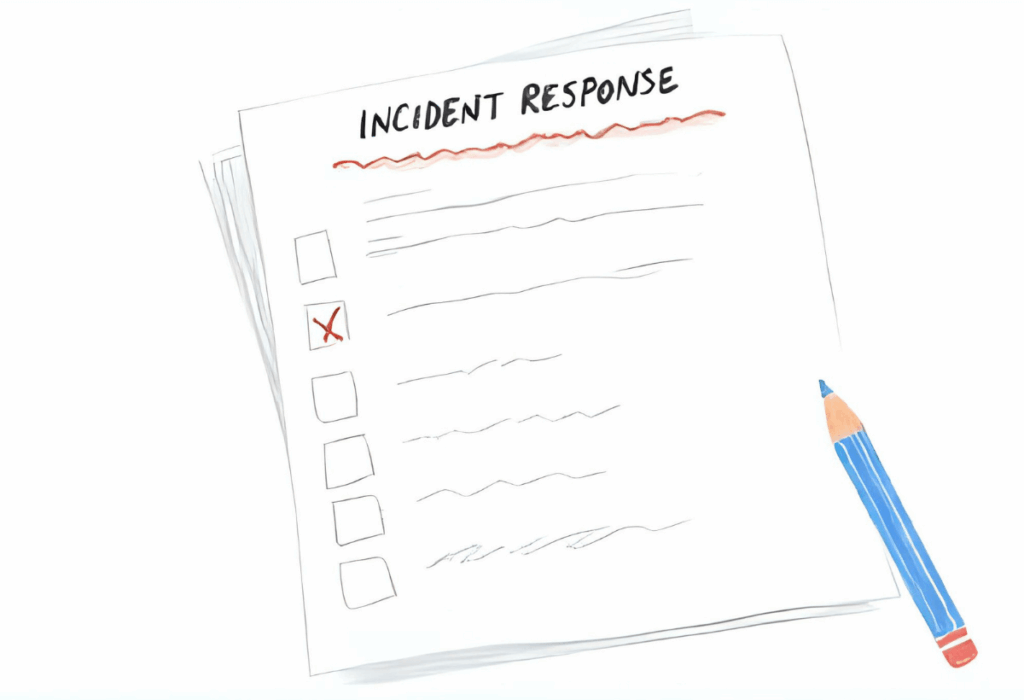
Emergency contact information should be readily available:
- Hosting Provider Security Team – 24/7 support for server-level incidents,
- Security Plugin Support – Premium support for malware removal and hardening,
- Payment Processor Security – Fraud prevention teams for payment-related compromises,
- Legal Counsel – Data breach notification and compliance requirements.
Time is critical during security incidents. Having pre-planned response procedures and contact information readily available dramatically reduces response time and limits damage from successful attacks.
Recovery and Cleanup
Systematic recovery ensures complete malware removal while preserving legitimate data and minimizing business disruption. Rushed cleanup often leaves residual threats that reinfect the site later.
Malware Removal Process:
- Isolate infected files using quarantine features rather than immediate deletion,
- Compare suspicious files against clean WordPress and WooCommerce repositories,
- Remove malicious code manually or using automated cleanup tools,
- Update all security keys in
wp-config.phpto invalidate existing sessions – read more about WordPress salts in this blog post, - Regenerate all user passwords and require new login for all accounts using the Password Reset Enforcement plugin.
Backup Restoration Strategy:
- Identify clean backup from before infection occurred,
- Preserve recent orders and customer data created after clean backup,
- Merge legitimate new data with clean backup restoration,
- Test restored functionality thoroughly before removing maintenance mode,
- Update all software before restoration to prevent reinfection.
Google Search Console Recovery:
Google may flag your site as compromised, requiring manual review request after cleanup:
- Complete malware removal and security hardening,
- Request security review through Google Search Console,
- Submit sitemap to encourage fresh crawling of cleaned pages,
- Monitor search results for lingering security warnings,
- Implement additional security measures to prevent future compromise.
Common WooCommerce Security Threats
Understanding specific threats targeting WooCommerce stores helps prioritize protection and recognize attack symptoms early. Cybercriminals specifically target e-commerce websites because they contain valuable customer data and payment information.
SQL Injection Attacks target customer databases through vulnerable input fields, potentially exposing all stored customer information including names, addresses, and order history. These attacks exploit poor input validation in custom code, vulnerable plugins, or outdated software components.
Prevention strategies include:
- Regular security patches for all WordPress plugins and themes,
- Input validation and parameterized queries in custom code,
- Web application firewall rules blocking SQL injection patterns,
- Database user permissions limiting access scope,
- Regular database backup and monitoring for unauthorized access.
Cross-Site Scripting (XSS) attacks inject malicious scripts into product reviews, comments, or user-generated content. When other customers view infected pages, the malicious code executes in their browsers, potentially stealing login credentials or hijacking user sessions.
Common XSS attack vectors:
- Product reviews containing malicious JavaScript,
- Contact forms with insufficient input sanitization,
- Theme files with improper output escaping,
- Plugin vulnerabilities allowing script injection,
- Admin panel pages vulnerable to stored XSS.
DDoS (Distributed Denial of Service) attacks overwhelm your hosting provider infrastructure with traffic, causing very slow load times or complete site unavailability. These attacks particularly target e-commerce websites during peak shopping seasons like Black Friday when downtime causes maximum revenue loss.
DDoS protection requires multiple defensive layers:
- Cloud-based traffic filtering through services like Cloudflare,
- Content delivery networks distributing load across multiple servers,
- Server-level rate limiting and traffic analysis,
- Automated scaling capabilities during traffic spikes,
- Emergency response procedures for sustained attacks.
Phishing Scams target both store administrators and customers through fake emails, login pages, and malicious links. Successful phishing can compromise admin accounts, leading to complete store takeover and customer data theft.
Phishing protection strategies:
- Staff training on recognizing suspicious emails and links,
- Two-factor authentication preventing compromised password usage,
- Email authentication (SPF, DKIM, DMARC) preventing domain spoofing,
- Customer education about legitimate communication channels,
- Monitoring for fake login pages and unauthorized domain usage.
Card Testing Attacks use automated tools to validate stolen credit card information through your checkout process. While individual transactions may be small, these attacks can trigger payment processor penalties and damage your merchant account standing.
Card testing prevention includes:
- CAPTCHA verification for checkout processes,
- Velocity checking limiting payment attempts per user,
- IP address blocking for suspicious transaction patterns,
- Payment gateway fraud detection integration,
- Real-time monitoring of failed payment attempts.
Security Testing and Auditing
Regular security testing identifies vulnerabilities before attackers exploit them, making proactive assessment essential for maintaining robust WooCommerce security. Quarterly security audits should examine all aspects of your online store from technical infrastructure to user behavior patterns.
Schedule penetration testing annually or after major infrastructure changes. Professional security assessment provides external perspective on your defenses and identifies vulnerabilities that internal scanning might miss.
Document all security testing results and remediation actions for compliance requirements and insurance purposes. Many cyber insurance policies require regular security assessments and documented remediation efforts.
WooCommerce Security FAQs
Is WooCommerce secure by default?
WooCommerce provides fundamental security features including secure payment processing through tokenization, user role management, and integration with WordPress security framework. However, default installation lacks advanced protections like malware scanning, brute force protection, and comprehensive monitoring.
WooCommerce security depends heavily on proper configuration, regular updates, and additional security measures. The platform’s open-source nature provides flexibility but requires site owners to implement comprehensive security strategies including secure hosting, security plugins, and ongoing maintenance.
What are cost-effective security measures under $50/month?
Essential security protection can be achieved affordably through strategic tool selection and process implementation:
- Security Plugin ($10-20/month)
- Cloud Backup Service ($5-15/month)
- SSL Certificate (Free-$10/month) – Let’s Encrypt free or premium wildcard certificates
- Basic WAF Protection (Free-$20/month) – Cloudflare free tier or basic paid plan
- Password Policy plugin (under $5/month) – enforcing strong, secure passwords provides a solid security foundation for any website.
Additional free security measures include regular software updates, user permission auditing, and basic security hardening through .htaccess file modifications.
Are WordPress and WooCommerce inherently vulnerable?
WordPress and WooCommerce face security challenges primarily due to their popularity and extensibility rather than fundamental design flaws. The vast plugin ecosystem creates potential vulnerabilities when third-party code isn’t properly maintained or secured.
Most security issues arise from:
- Outdated software versions with known vulnerabilities,
- Poorly coded or abandoned plugins and themes,
- Weak authentication and access controls,
- Inadequate hosting provider security measures,
- Lack of regular security monitoring and maintenance.
Properly maintained WordPress and WooCommerce installations with current software versions, quality plugins, and appropriate security measures provide robust e-commerce website protection comparable to proprietary alternatives.
Conclusion
Protecting your WooCommerce store requires a comprehensive, multi-layered approach that addresses every aspect of your online business security. From selecting a reputable hosting provider and implementing SSL certificates to enforcing strong customer password policies and deploying advanced security monitoring, each measure contributes to a robust defense against evolving cyber threats.
Investing in proper WooCommerce security isn’t optional—it’s essential for business survival. The cost of prevention is always less than the cost of recovery, making proactive security measures a smart business investment.
Remember that security is an ongoing process, not a one-time setup. Regular updates, continuous monitoring, and staying informed about new threats ensure your WooCommerce website remains protected as your business grows. The combination of technical security measures, staff training, and customer education creates a comprehensive security posture that protects both your business and your customers’ trust.
Start implementing these security measures today to protect your online business and customer data. Your customers depend on you to safeguard their sensitive information, and your business success depends on maintaining their trust through robust, reliable security practices.